Canon Magic Lantern Gyro Stabilization
Note:
MLV App version must be at least V1.15
Please first watch the following videos to understand the normal video stabilization process.
ProRes Workflow:
Step 1: Export MLV videos to ProRes via MLV App.
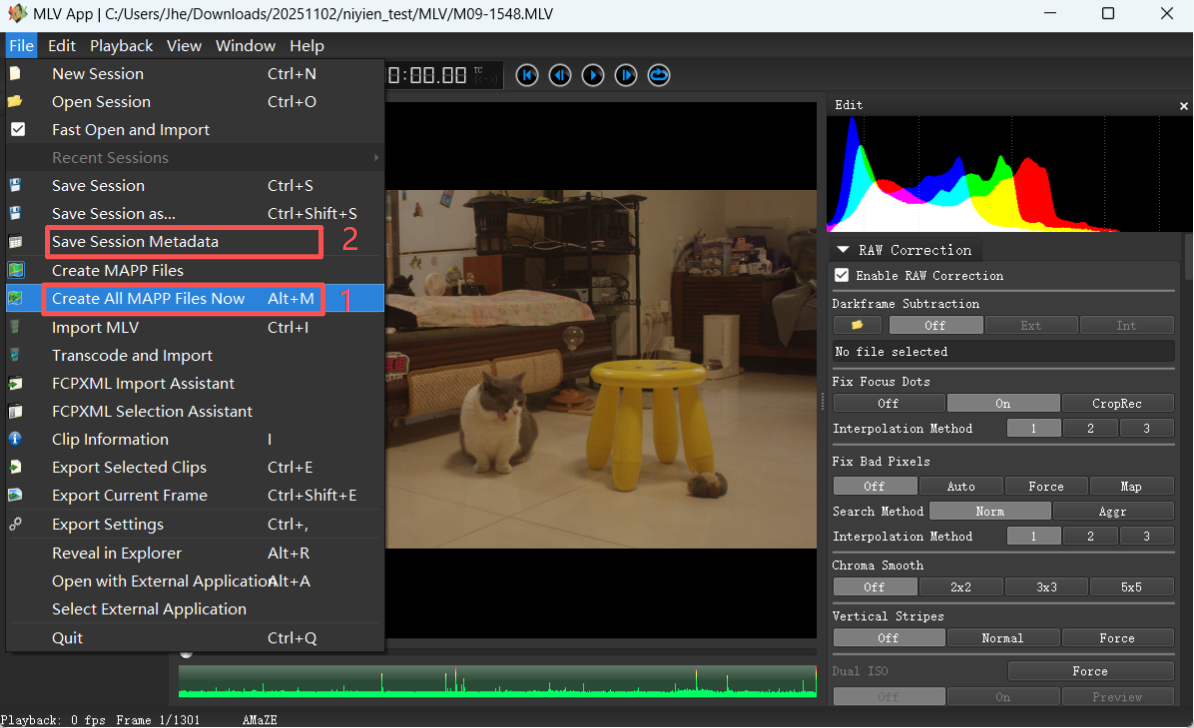
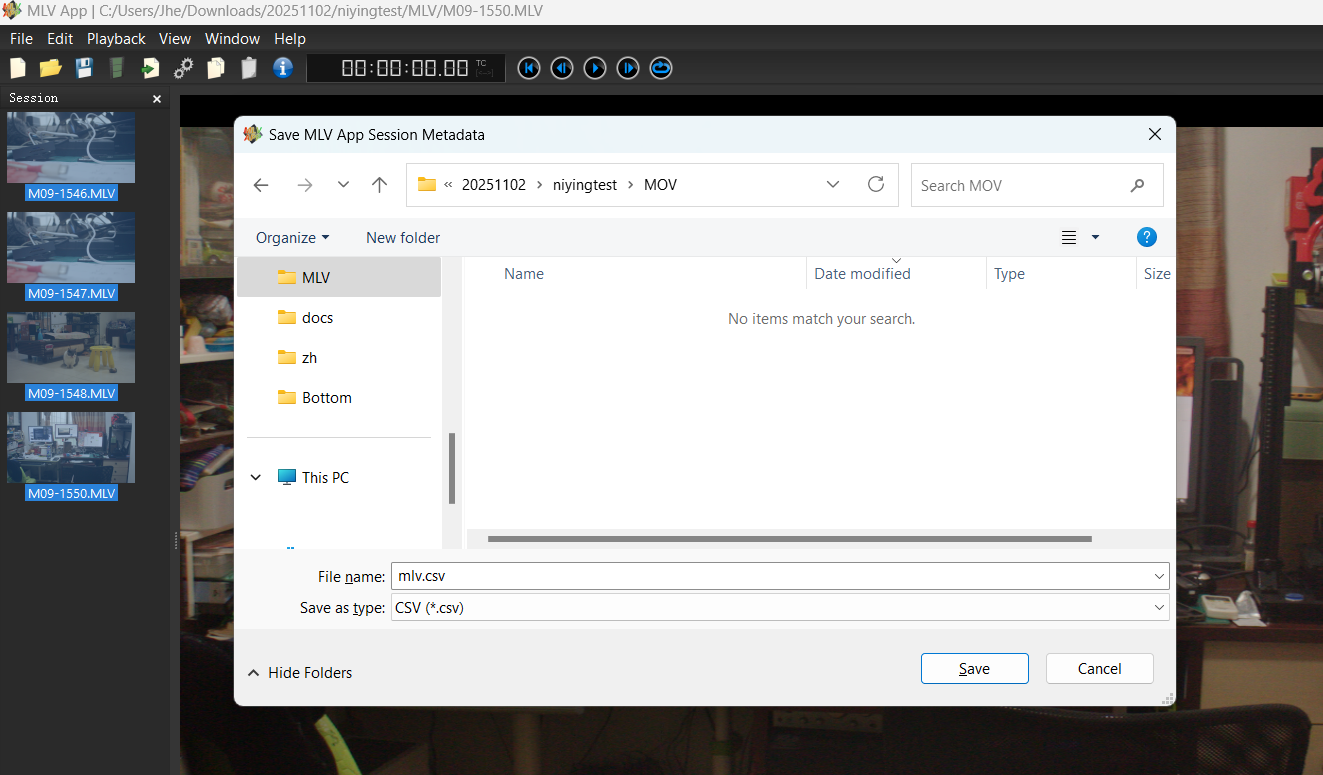
Step 2: Select all MLV videos, click File, Select "Create All MAPP Files Now", then select "Save Session Metadata", and save as mlv.csv.
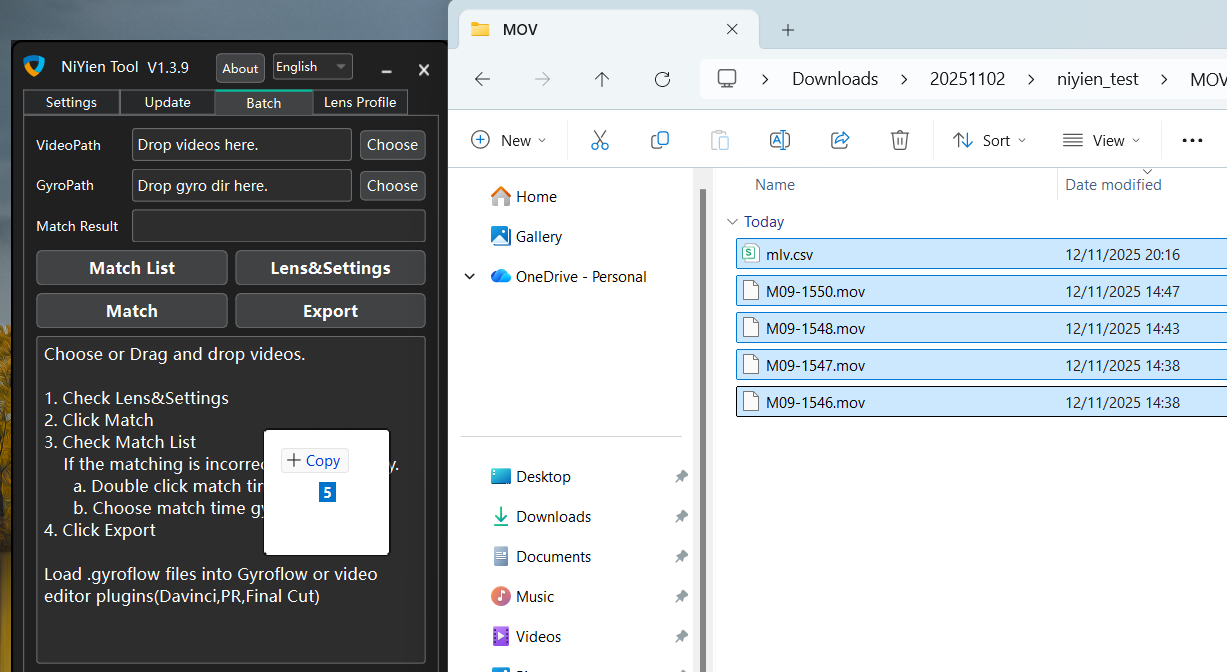
Step 3: Import both ProRes videos and mlv.csv into NiYien Tool.
Other steps are the same as in the video tutorials.
CDNG Workflow:
CDNG requires using plugins in DaVinci Resolve or Premiere Pro, you'll need to watch
4.1 - Video Editor Plugin
,
4.5 - RAW, Log, 10-bit, 12-bit Videos
.
If you've used Squeeze option or anamorphic lenses, you'll also need to watch
4.3 - Anamorphic lens
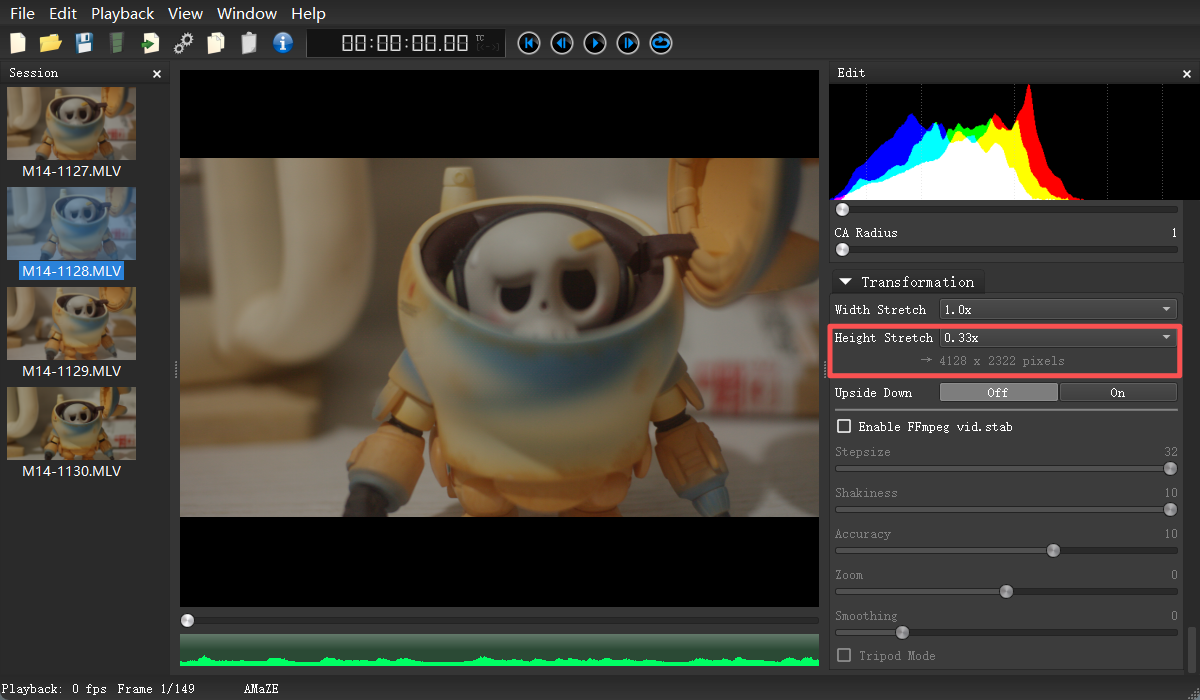
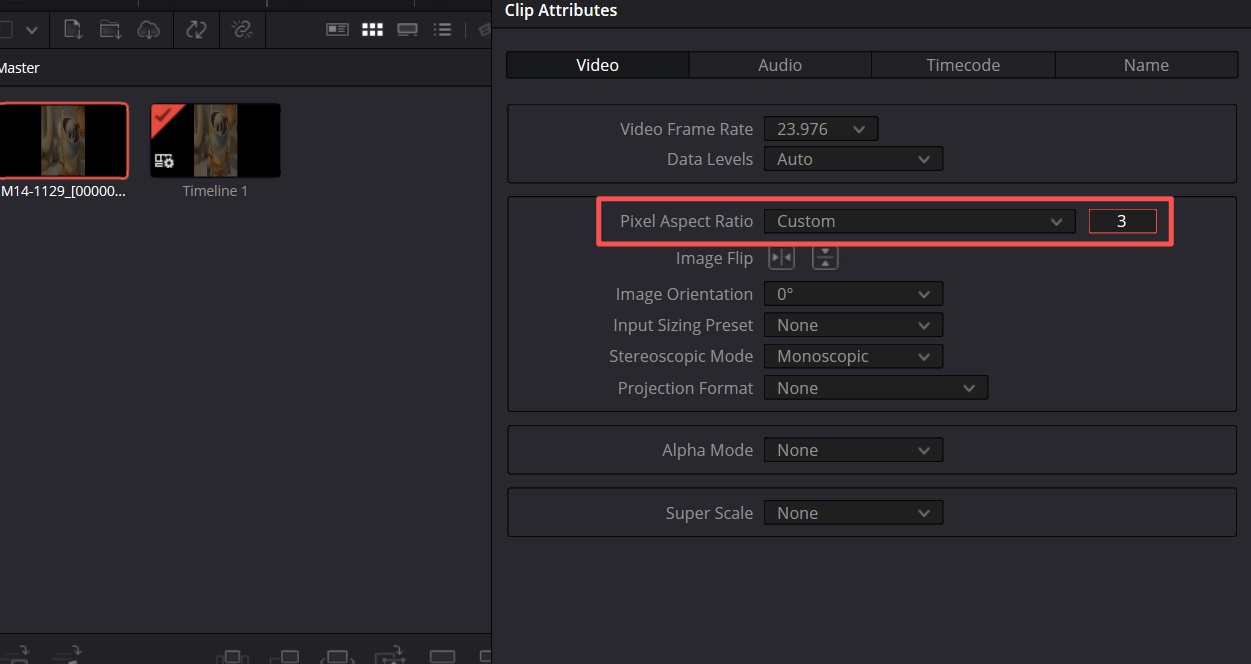
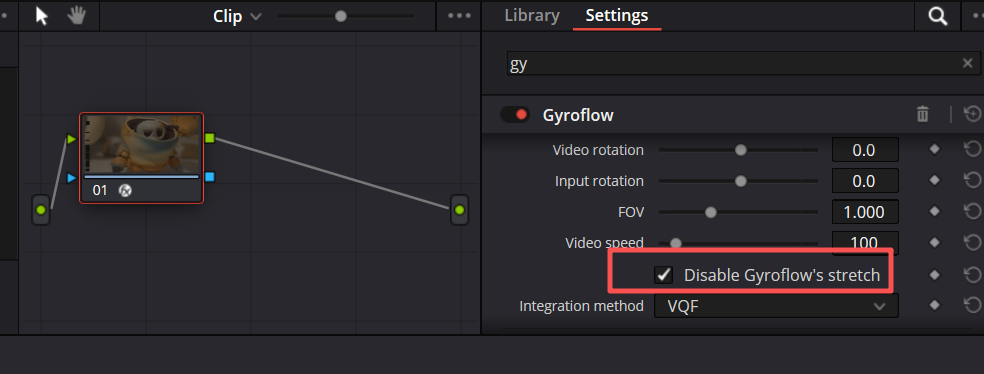
For example, here the Height Stretch is 0.33x, which means it is stretched 3 times in width. So in DaVinci Resolve, you need to select "CUSTOM" for the Pixel Aspect Ratio in the clip attributes, and then fill in "3" in the following box. After that, check the "disable_stretch" function of the plugin.